To sync Airbnb and Booking.com calendars, you copy each platform's calendar link (called an iCal link) and paste it into the other one. Airbnb then blocks dates booked on Booking.com, and Booking.com blocks dates booked on Airbnb. It takes about 10 minutes, it's free, and it needs no extra software. The catch is that it isn't instant, and most guides skip what that means for you.
Key takeaways
- Sync has to be set up in both directions, or only half your bookings get blocked.
- Only blocked dates travel between platforms. Prices, guest names and rules do not.
- Updates take anywhere from 30 minutes to a few hours, so busy dates need extra care.
- Always test the connection with a fake block before trusting it.
What calendar sync actually does
An iCal link is a web address that holds a list of dates your listing is unavailable. When you give Booking.com your Airbnb link, Booking.com checks that list every so often and blocks the same dates on its side.
That's all it shares. It does not send:
- the guest's name or contact details
- the price they paid
- your minimum stay, check in time or house rules
So if you change your price on Airbnb, you still change it on Booking.com yourself. Sync only stops the same night being sold twice.
Takeaway: think of iCal as a "this date is taken" signal, nothing more.
Step 1: Export your Airbnb calendar link
- Open Airbnb on a computer and go to Listings.
- Pick the listing you want to sync and open its Availability settings.
- Find the section for syncing or connecting calendars and choose Export calendar.
- Copy the link. It ends in
.ics.
If you have several listings, each one has its own link. A guesthouse with four rooms listed separately has four links, and each must be matched to the right room on Booking.com.
Takeaway: one listing, one link. Label them as you copy them.
Step 2: Import it into Booking.com
- Log in to the Booking.com extranet.
- Go to Rates & Availability, then Sync calendars.
- Choose the room type you're syncing and select Add calendar connection.
- Paste the Airbnb link and give the connection a name you'll recognise, like "Airbnb Room 2".
- Save.
Booking.com will now block dates that are booked on Airbnb for that room.
Takeaway: name each connection after the room and channel, so you can find a broken one in seconds later.
Step 3: Export from Booking.com and import into Airbnb
This is the step people miss. Steps 1 and 2 only protect Booking.com. Airbnb still knows nothing about your Booking.com reservations.
- On the same Sync calendars page in Booking.com, copy the export link for the room.
- Back on Airbnb, open the listing's Availability settings.
- Choose Import calendar, paste the link and name it "Booking.com".
- Save.
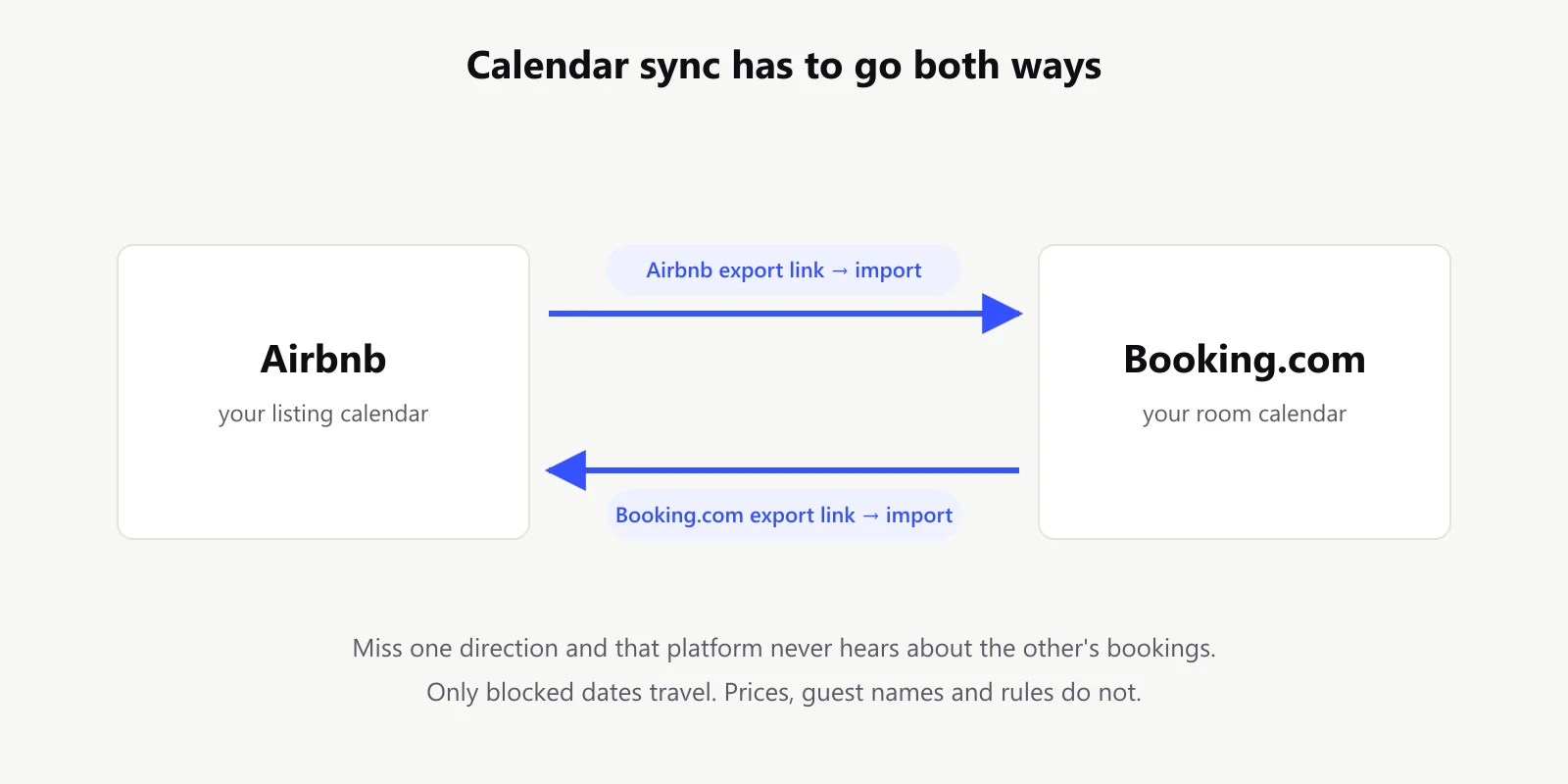
Takeaway: if you only did one direction, you have no protection on the other platform.
Step 4: Test it with a fake block
Never trust a sync you haven't tested. It takes two minutes:
- On Airbnb, block a single night at least two months away, so no real guest is affected.
- Note the time.
- Check the same room on Booking.com every 30 minutes until the night shows as unavailable.
- Remove the block on Airbnb, then do the same test the other way round.
Now you know your real sync time, not a number from a help page. If the date never appears after half a day, the link is wrong. Go back to step 2.
Takeaway: write down how long each direction took. That's your risk window.
How long sync really takes
Neither platform pushes changes to the other. Each one checks the other's link on its own timer, so a new booking sits unseen until the next check.
| Direction | Typical delay |
|---|---|
| Airbnb booking appears on Booking.com | 30 minutes to a few hours |
| Booking.com booking appears on Airbnb | often up to 3 hours |
| Busy periods (holidays, weekends) | can stretch to several hours |
Neither platform publishes an exact, guaranteed interval, which is why the test in step 4 matters. The full breakdown of the sync delay explains where the time goes.
Takeaway: for a few hours after any booking, the other platform may still be selling that night.
Protecting yourself in the gap
You can't make iCal faster, but you can make the gap matter less:
- Set a booking notice. Require at least one day's notice on both platforms. Most double bookings are last minute ones, because there's no time for the sync to catch up.
- Watch your hot dates. For holidays and local events, check both calendars by hand after each new booking. It takes two minutes.
- Block immediately when it counts. If a booking comes in for a busy weekend, block those nights on the other platform yourself instead of waiting.
At our own guesthouse, almost every close call came from same day or next day bookings on a busy weekend. Long lead bookings almost never clashed. Why double bookings happen covers the mechanism in more detail.
Takeaway: a one day booking notice removes most of the risk for almost no lost revenue.
More than one property or more than two channels
Syncing two platforms for one room means two links. The number grows fast:
- 4 rooms on 2 platforms: 8 links to set up and keep working.
- Add a third channel, like your own website: every channel must import every other channel's link. For 4 rooms that's 24 connections.
That's where one central calendar helps. Instead of linking every channel to every other channel, each channel links to one hub. The hub collects all bookings and sends one combined "taken" list back out. Fewer links, and one place to see everything.
One thing to check before you rely on a hub: how often it imports. If it only refreshes a few times a day, keep the direct links between your busiest channels as well, and use the hub mainly to see everything at a glance.
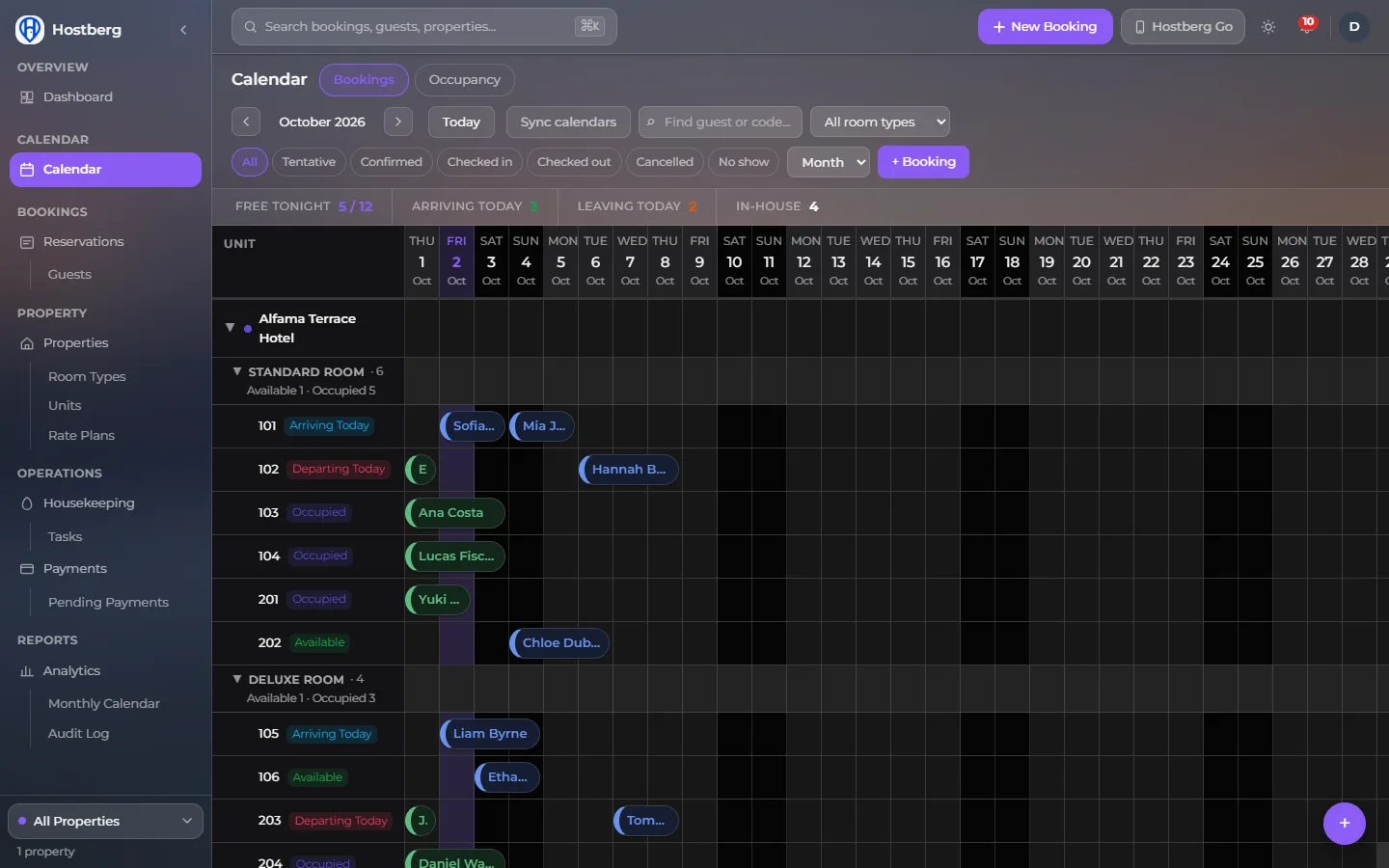
The Hostberg calendar, from the live demo with sample data.
Takeaway: past two channels, connect each channel to one hub instead of to each other.
When iCal is enough and when it isn't
iCal sync is the right choice for most small hosts:
- 1 to 10 rooms or units
- mostly bookings made more than a day ahead
- two or three channels
It starts to hurt when you have many units, lots of last minute bookings, or prices that change daily across channels. That's when a paid channel manager with a direct connection is worth it. Manual entry vs API sync compares the real difference for a small property.
Takeaway: don't pay for real time sync until last minute bookings are a big share of your business.
Frequently asked questions
Is syncing Airbnb and Booking.com free?
Yes. Both platforms let you export and import iCal links at no cost.
Does calendar sync update prices too?
No. iCal only shares blocked dates. You update prices on each platform yourself, or use a channel manager.
Why didn't a booking show up on the other platform?
Usually it's the delay, and it will appear within a few hours. If it never appears, the sync was set up in one direction only or uses the wrong room's link. See what to do when the calendars stop syncing.
Can I sync more than one room?
Yes. Each room or listing has its own link, and each needs its own connection on the other platform.
Bottom line
Set up both directions, test with a fake block, add a one day booking notice, and check busy dates by hand. That covers nearly every double booking a small host will face.
If you'd rather see both channels in one calendar instead of checking two extranets, Hostberg pulls your Airbnb and Booking.com bookings into a single view. See how it works.